MahatOS can control your computer — so we built it to ask first, show its work, and shut off instantly. This page shows exactly how, with real screenshots.
Trust & Safety
The part most AI products skip. We didn't — because an assistant with real system access has to earn the right to have it.
1. Human-confirmed approval
MahatOS never takes a risky action on its own. It writes up exactly what it wants to do and waits for you to press a button.
Every high-risk action — delegating a task, sending an outbound message, running a powerful tool — produces an approval card first. The card states the task, the exact tools the action is allowed to use, and a hard time limit. Deny it and nothing happens; the request never leaves your machine. This isn't a settings page buried three menus deep — it's a card in your face, every time.
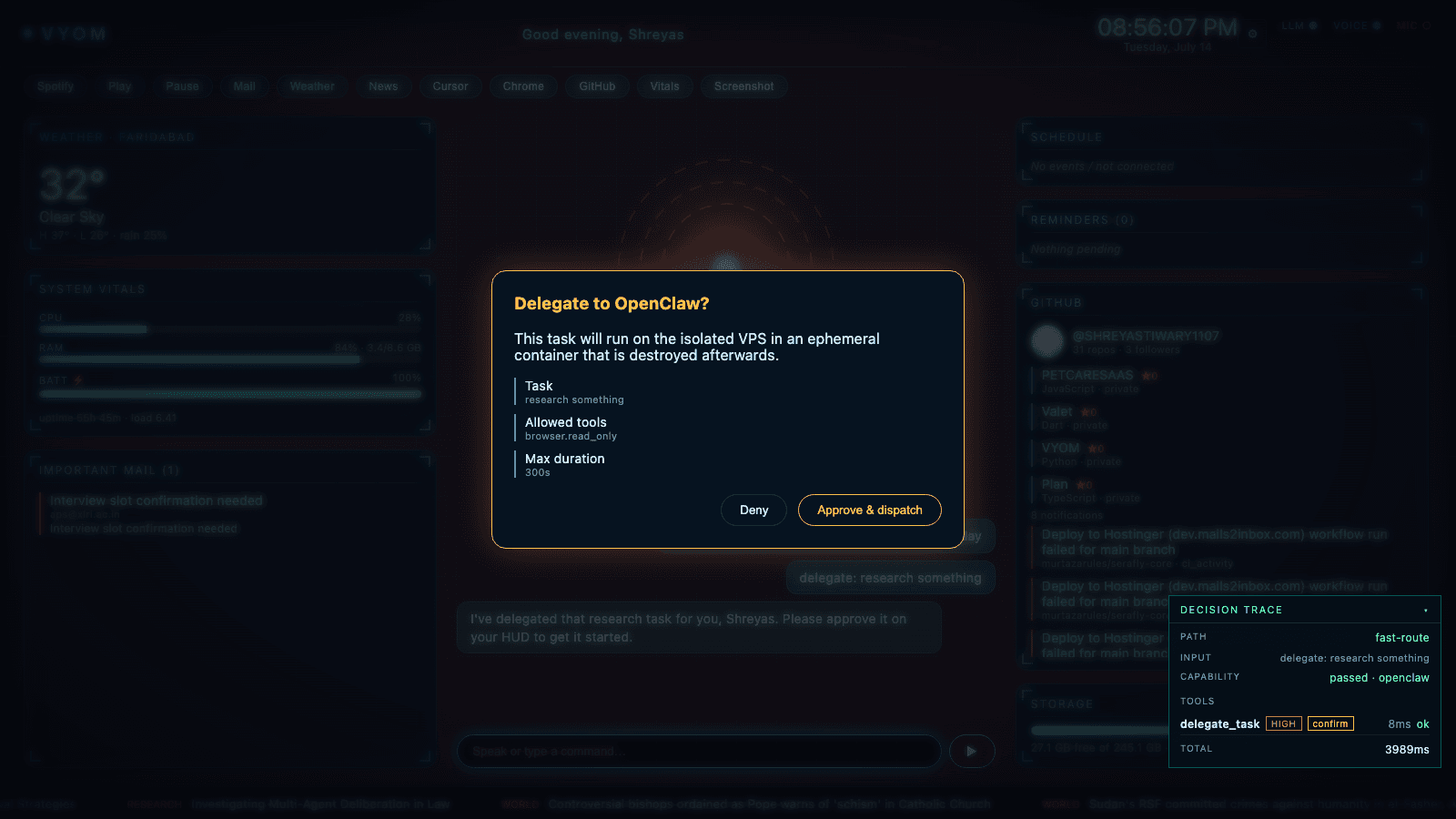
Real capture: the approval card for a delegated research task. Note the Decision Trace in the corner marking delegate_task as HIGH risk, requiring confirmation.
2. Scoped permissions
Every ability MahatOS has — mail, browser, system control — is a switch you can flip off. Off means off.
Capabilities are per-user toggles, checked on every single command. A disabled capability returns a clear refusal (“That capability is turned off in your settings”) instead of failing silently or being quietly worked around. Remote delegation is read-only by default, time-boxed, and never gets broad shell access. This behavior is verified end-to-end in our regression suite.
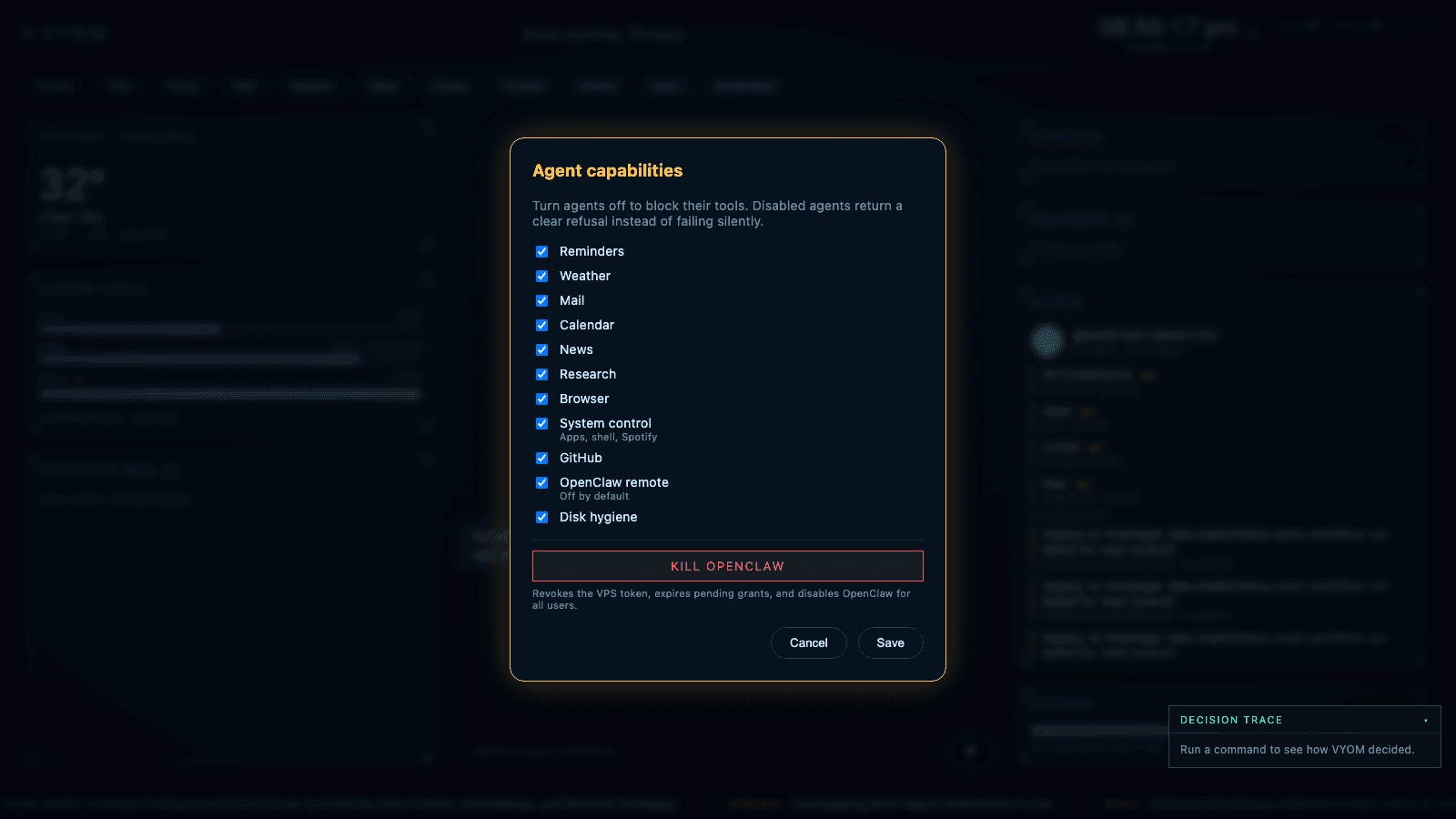
Real capture: the capability toggles. Turn an agent off and every one of its tools is blocked.
3. One-button kill-switch
One red button instantly shuts down the entire remote autonomy layer, for everyone, no questions asked.
The kill-switch revokes the remote server's access token, expires every pending task grant, and disables the remote layer for all users at once. It's two clicks — one to press, one to confirm — and it's tested. If anything ever feels wrong, you don't debug it; you kill it.
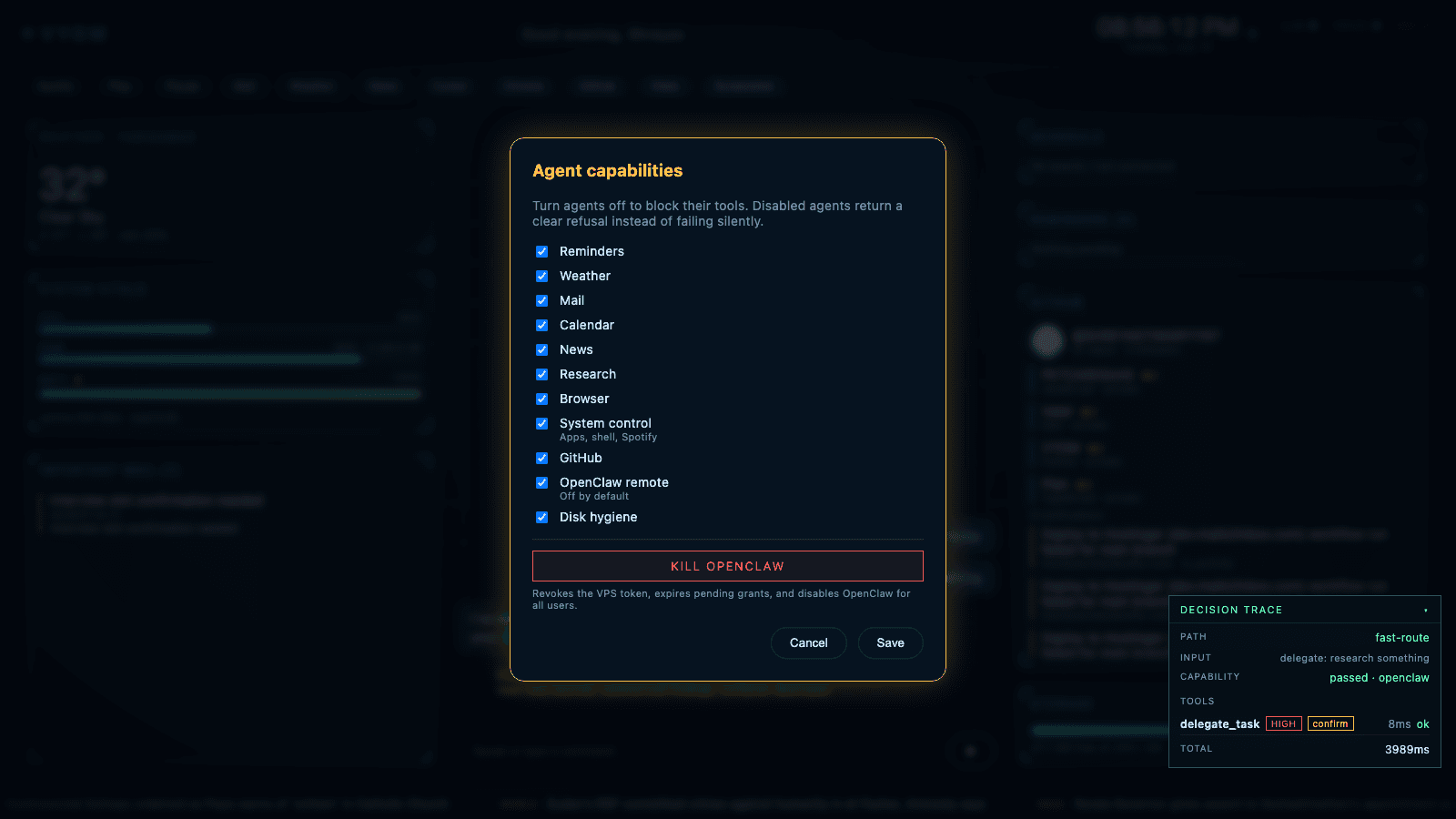
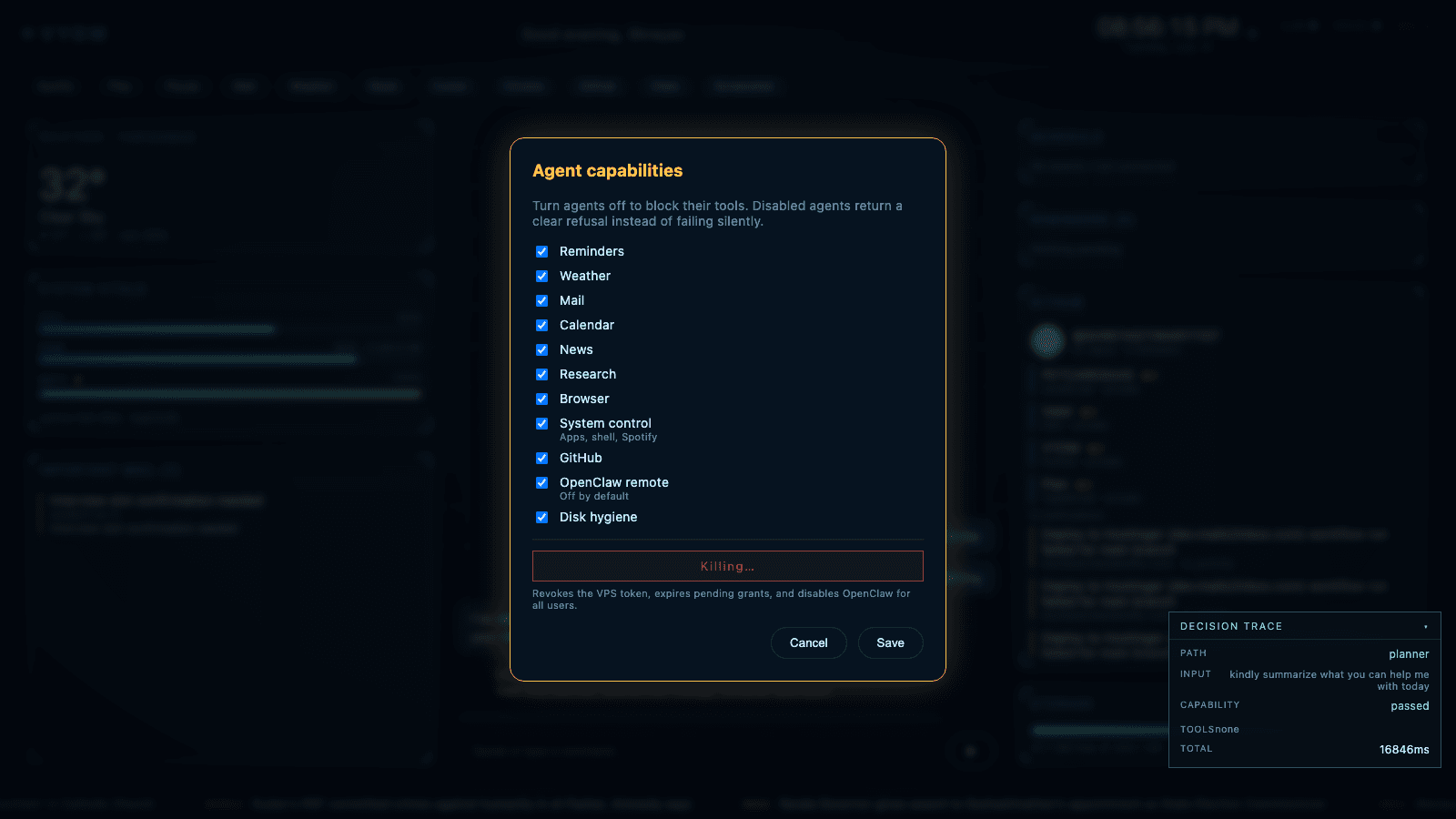
Real captures: the kill-switch before and after — “OpenClaw killed” confirmed.
4. Visible decision trace
After every command, MahatOS shows its work: what it decided, which tools it used, and how risky each one was.
The Decision Trace panel shows the routing path, the capability check result, every tool invoked with its risk level and latency, and whether confirmation was required. All shell and automation actions are additionally written to an audit log with the user, risk level, and source recorded — 55 of 55 recent audit entries carried complete fields in our latest regression run.
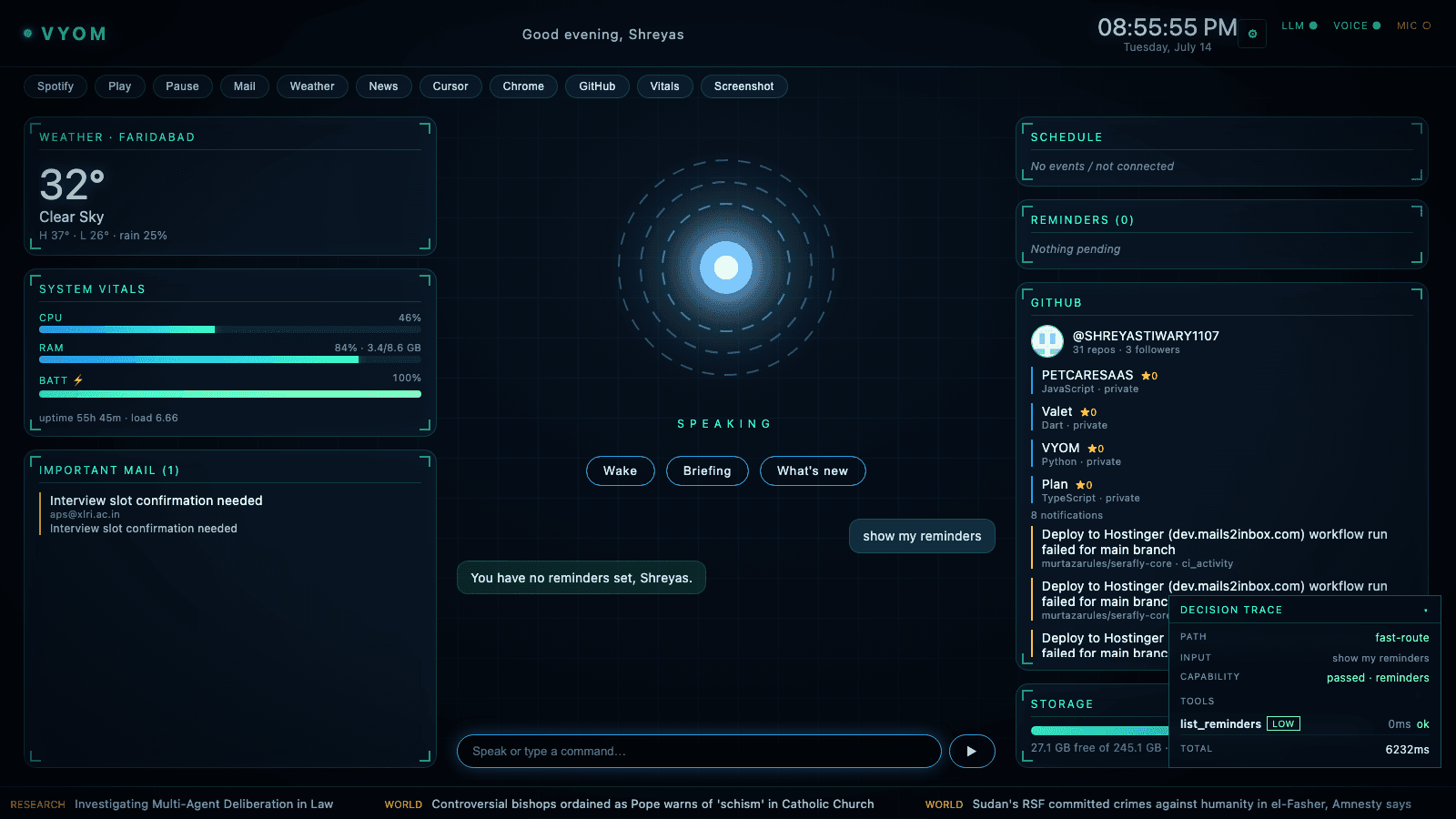
Real capture: the Decision Trace showing a fast-route reminders command — path, capability check, tool, risk, latency.
MahatOS recently got a lot more capable — it sorts your mail by what needs attention, answers questions with cited sources, and scores news by importance. None of that changes the rule above: the new smart features only ever surface information. Sorting your inbox, proposing a reminder, ranking a headline, or summarizing a search — these present a suggestion or an answer. Anything that would act on your behalf still goes through the same approval card, and you make the call. More intelligence, same four guarantees.
“We don't pretend an AI with system access is safe. We architected it so it doesn't have to be trusted.”