MahatOS is an assistant that actually does things on your computer — opens apps, answers mail, manages your day — while keeping your data on your own machine. Here's how it's built, layer by layer.
The product, layer by layer
The face — a screen you talk to.
A cinematic command center that wakes on a phrase, a double-clap, or a hotkey. It shows your weather, mail, calendar, reminders, news, system vitals, and GitHub activity on one screen, updating in real time as MahatOS works. You can speak or type — both go to the same brain.
The reflexes — common commands skip the AI entirely.
Everyday commands (“play music,” “check my email,” “what's the weather”) are matched by a fast-route (a fixed lookup table that maps a known command straight to an action, with no AI guessing involved) before any AI model is consulted. That makes them instant, reliable, and identical every time — critical on affordable hardware where small AI models can be slow or flaky.
The hands — one specialist per job.
Eleven specialist modules do the actual work: mail, calendar, reminders, weather, news, research, browser control, system control, GitHub, disk cleanup, and remote delegation. Each agent's tools can be switched off individually — a disabled agent refuses clearly instead of failing silently.
The judgment — a local AI first, cloud AI only when it helps.
For compound requests (“open my editor and check my email”), an AI planner breaks the request into ordered steps. It runs on a hybrid LLM chain (a small AI model running on your own laptop, with an optional cloud model used only for harder planning): local by default, so the product works fully offline on an 8GB laptop, with free-tier cloud models available for stronger reasoning when you choose to allow them.
The conscience — risky actions stop and ask.
Every tool carries a risk level. High-risk actions produce an approval card and wait for a human; every capability is a per-user toggle; the remote autonomy layer sits behind a one-button kill-switch; and every command leaves a visible decision trace plus an audit log entry. The full story is on the Trust & Safety page.
It's not just fast — it's smart
MahatOS now responds in real time, streaming each answer as it thinks rather than making you wait for the whole reply. And the same agents you saw above got noticeably more useful — here's what that means in plain terms.
MahatOS sorts your inbox into spam, promotions, and mail that actually needs you.
It reads only the sender, subject, and preview — never the full body — to decide. When something is time-sensitive, like an interview invite or a deadline, it surfaces that at the top and offers to turn it into a reminder or a draft reply. It never sends or files anything on its own.
Ask a question and MahatOS gives you a short, direct answer — with the sources it used listed underneath.
It reads the top results and synthesizes them, then cites only the pages it actually read, so you can check its work. No invented facts, no wall of blue links to sort through yourself.
Headlines are scored from routine to critical and colour-coded, so what matters stands out.
You can filter the feed to show only the serious stuff. The scoring is one quick pass over the batch of headlines, not a per-headline slowdown — reusing the same risk-level colours you see in the decision trace.
Ask about a topic and MahatOS pulls recent papers and summarizes each one — title, authors, and a one-line finding.
It uses the public arXiv (a free, open library of scientific papers run by Cornell University) library, so there's no account to set up and nothing leaves your control.
Real screens, not renders
Every image below is an unedited capture of the working product.
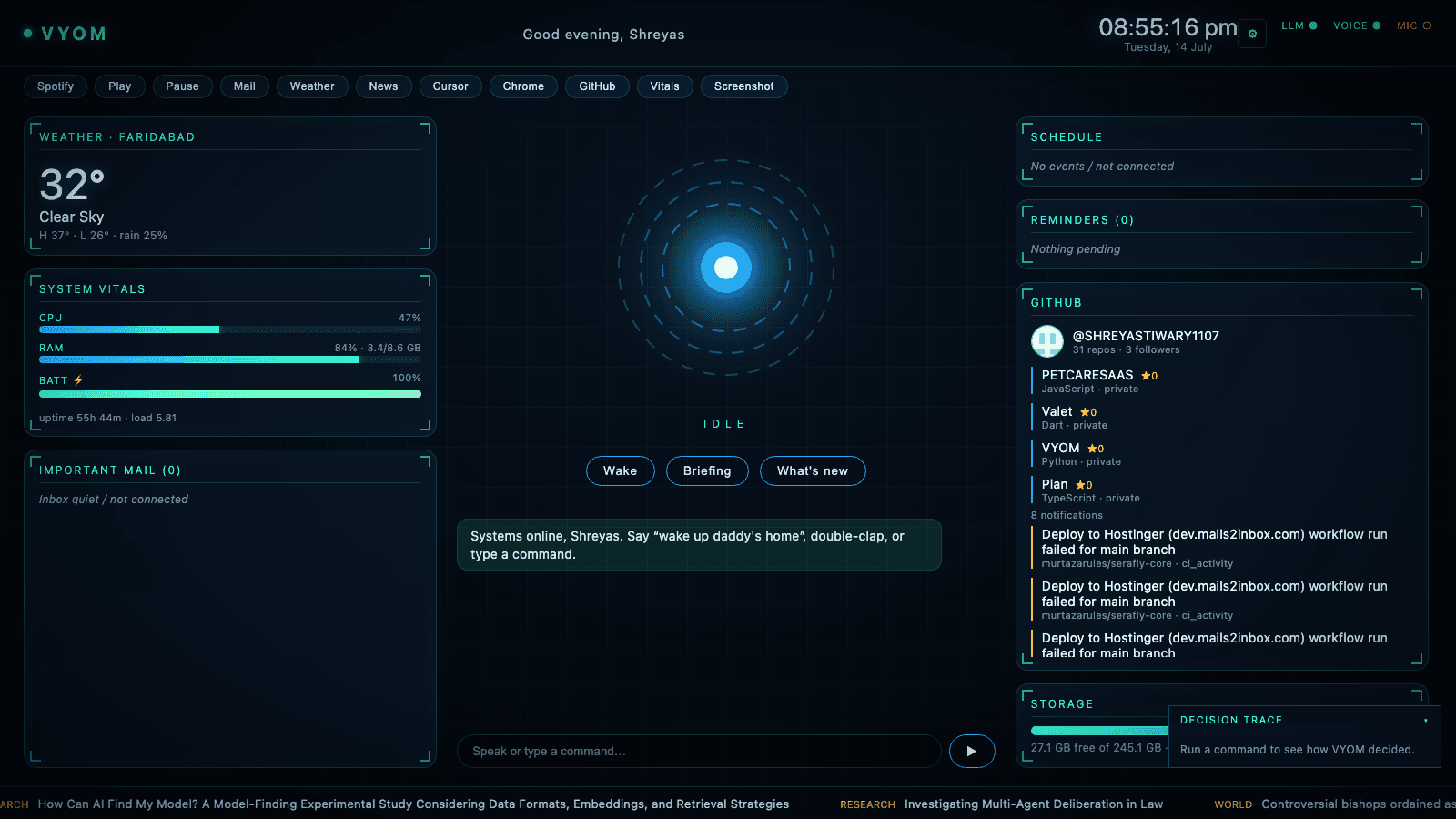
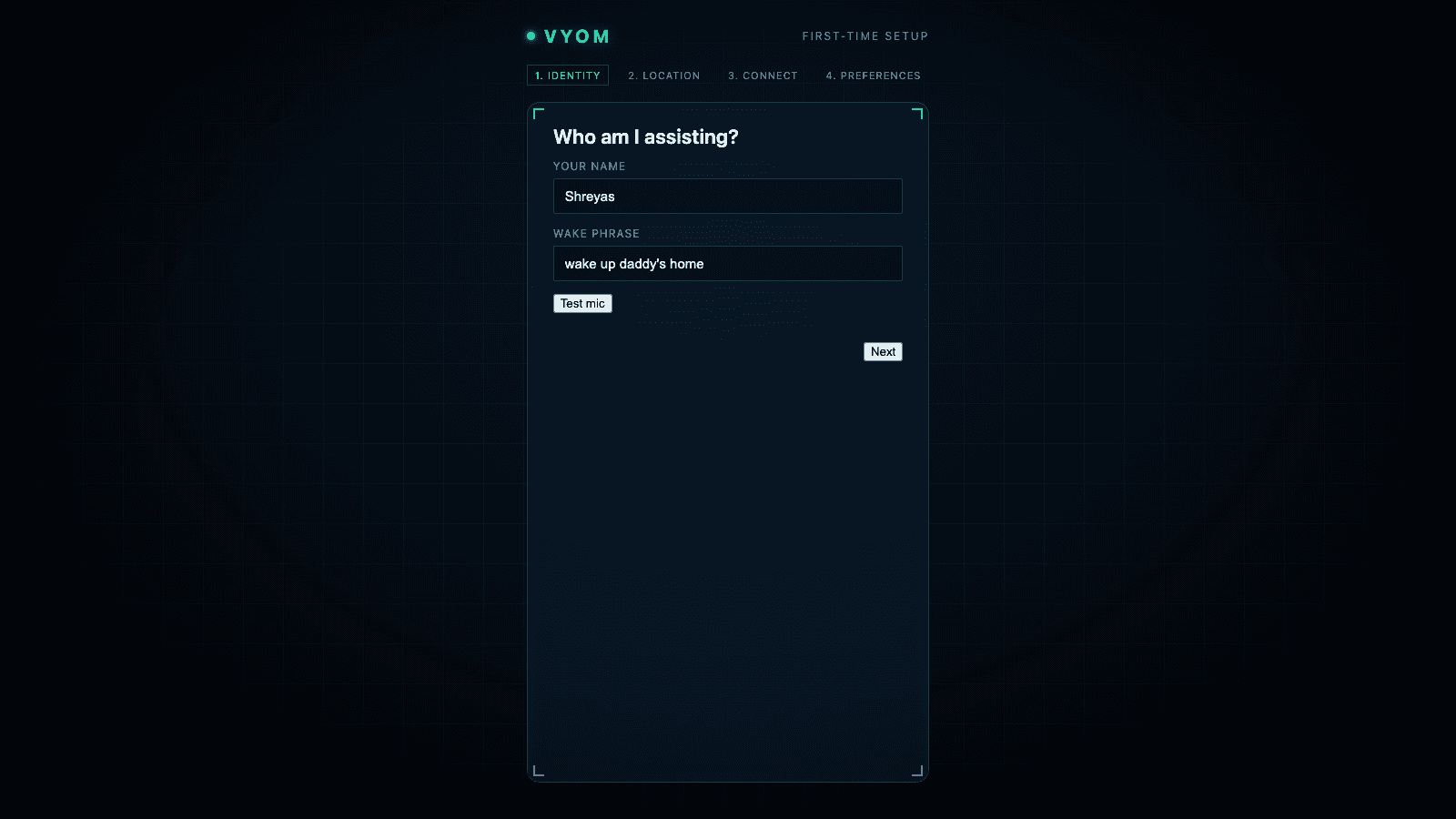
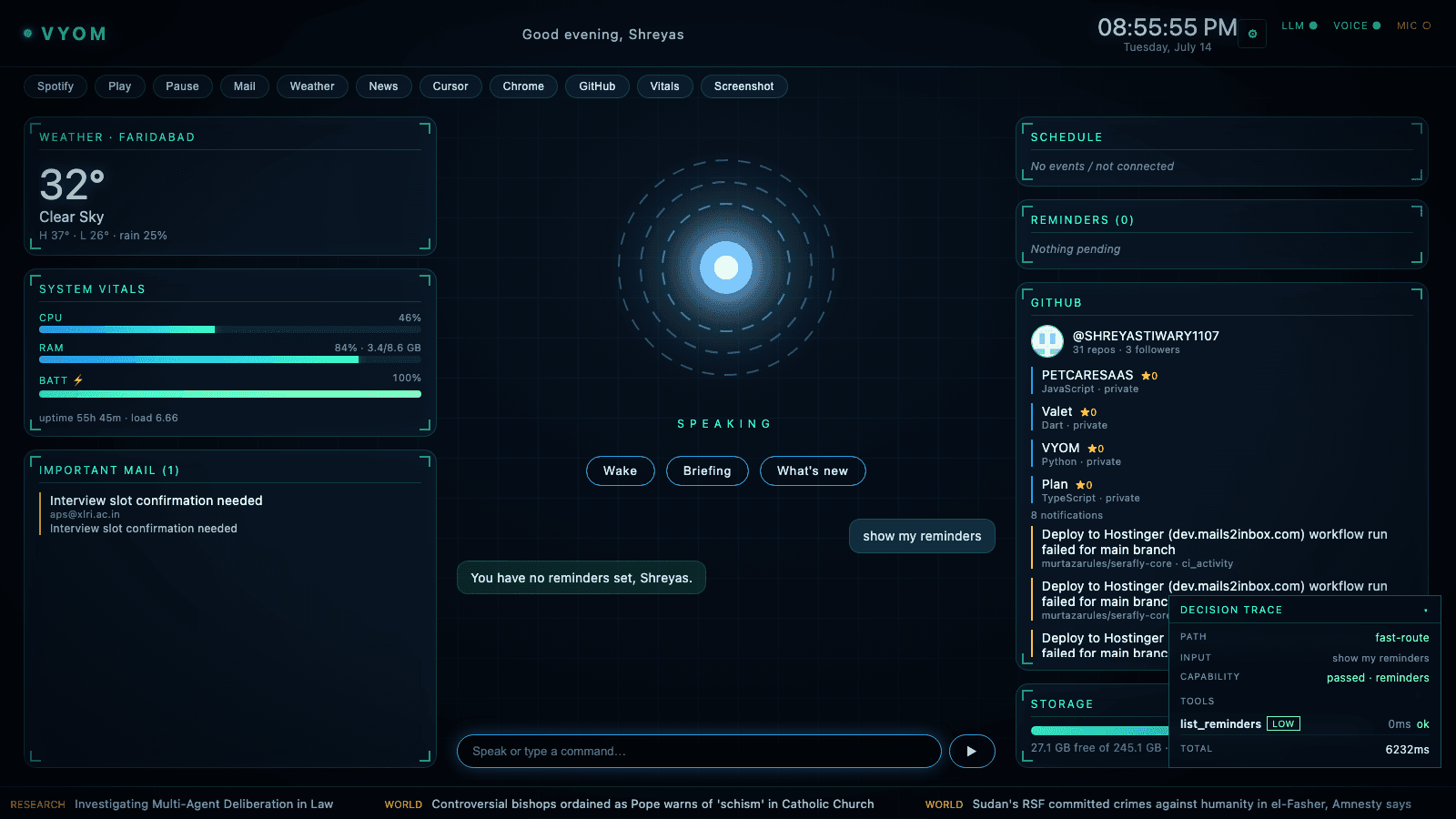
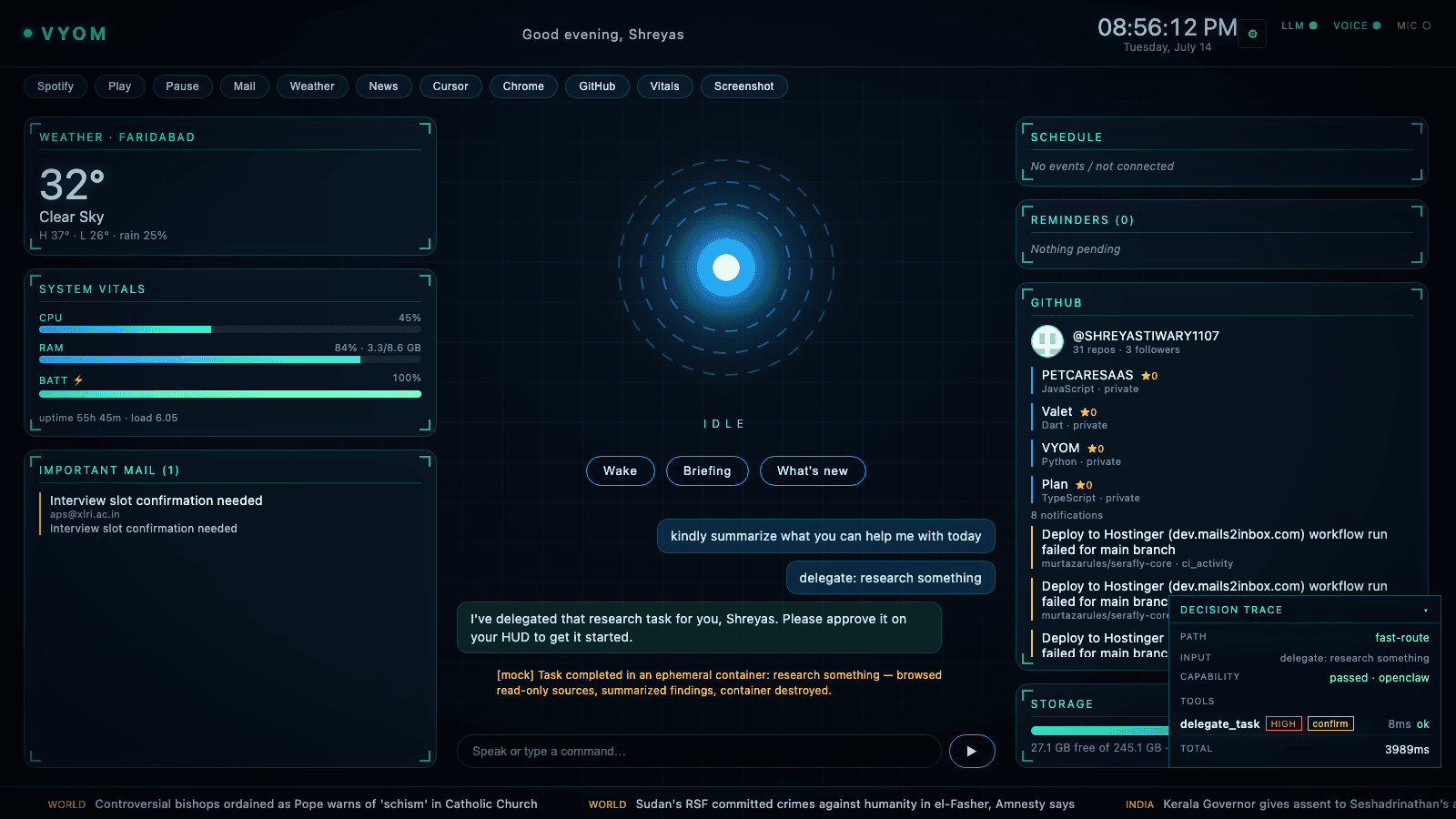
Built for affordable hardware
The entire stack — voice recognition, the local AI model, all eleven agents, and the HUD — runs end-to-end on an 8GB MacBook. No premium cloud subscription required: the local model is free, and the optional cloud models used for harder planning run on free tiers. That's a deliberate choice for Indian affordability, not a limitation we're hiding.
Coming next
The hard things, approached carefully
Two capabilities are designed but deliberately not shipped yet — because they're powerful enough to deserve guardrails first, not a rushed demo:
- MahatOS writing and running code for you. The plan is: MahatOS proposes the change, shows you every command, you approve it, and only then does it run — in a sandbox, with a full audit trail. An AI running code unsupervised is the single highest-risk thing this project could do, so it will ship gated, or not at all.
- Natural talk-over-it conversation. Interrupting MahatOS mid-sentence with your voice, the way you would a person. It needs careful audio work to get right, so it's on the roadmap rather than half-built today.
We'd rather tell you what's coming and how we'll make it safe than claim it before it's ready.